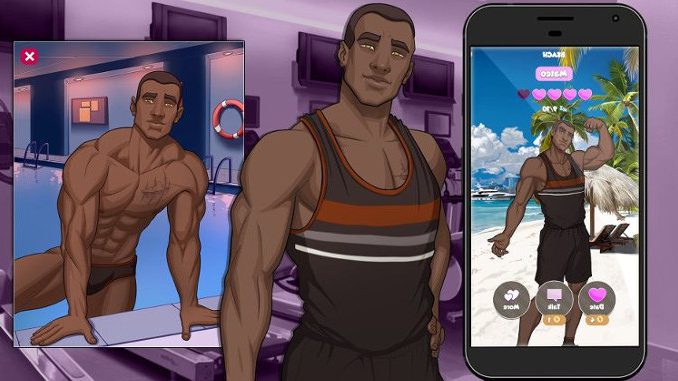
Playing gay adult games on iPhone is less about finding the biggest library and more about choosing the least frustrating route. iOS has tighter limits than desktop or Android, so the real decision is usually browser play, mobile-friendly web games, or a different device when you want more freedom.
The best option depends on how much you care about privacy, controls, visual quality, and whether you want quick access or a deeper game with saves and progression.
Start with browser-based gay adult games on iPhone
For most iPhone users, browser games are the cleanest starting point. They avoid installs, reduce device clutter, and work better when you only want a short session. A good browser game should load quickly, fit the screen properly, and make menus easy to use without constant zooming.
Mobile layout matters more than raw visuals. A game with modest art and smooth touch controls will usually feel better than a more ambitious title that was clearly built for desktop first. If buttons are tiny, text boxes cover the scene, or saves are confusing, the experience will wear thin fast.
Browser play also makes sense if you do not want adult content sitting visibly on your home screen. It is not a complete privacy solution, but it keeps the experience lighter and easier to separate from everyday phone use.
Be cautious with iOS adult game downloads
Dedicated iOS adult game downloads are where readers should slow down. Apple’s ecosystem is more restrictive, and many adult gaming experiences are not distributed in the same straightforward way as regular mobile games. That makes vague download pages, suspicious profiles, and overpromised app claims worth treating carefully.
Avoid anything that asks for unnecessary access. A simple gay adult game should not need contacts, device management permissions, strange configuration profiles, or unrelated sign-ins. If the setup feels more complicated than the game itself, skip it.
This is also where Android and PC often have an advantage. If you want bigger files, offline play, mod-style content, or broader adult game libraries, iPhone may not be the most flexible device. That does not make iOS useless, but it does mean expectations should be realistic.
Match the format to how you actually play
Not every gay porn game on iOS needs to be deep. Some players want a quick visual scene, while others want a proper story, dating sim structure, or character progression. The right choice depends on session length.
- Choose browser games for quick access and low commitment.
- Choose story-led games if you want routes, choices, and replay value.
- Choose 3D or animated games only when performance feels smooth on mobile.
- Use PC or Android instead if you want larger downloads or more control.
Shorter games usually work better on iPhone because touch controls and small screens favor simple navigation. Longer games can still work, but only if they have readable text, stable saves, and a layout that does not fight the device.
Focus on privacy before chasing free access
Free gay iPhone porn games can be convenient, but free access is not the only thing to check. The better filter is whether the game respects your time and your device. Clear entry, readable menus, no forced account creation, and no strange permission requests are all more important than a flashy preview.
Skip games that hide the basic experience behind friction. If you hit pop-ups, fake download buttons, broken mobile pages, or vague verification steps before seeing anything useful, move on. That is rarely a good sign.
For iPhone, the safest practical path is simple: start with mobile-friendly browser games, keep downloads limited, and move to PC or Android when you want a larger adult game experience. The best choice is the one that works smoothly without making the phone feel like the wrong tool.
 Stud Game
 Men Bang
 3D Gay Game
 Gay Harem
 CandyAI gay
 Fap CEO Men Stream
 Cockville
 LGBTQ games
 Cumming Hotel
 Nutaku Gay
 Gay Game
 3DXChat gay
 3D Gays
 VR Gay Games
 Gay Harem
 Try not to cum